tiling
12 motifs. Import them from geomotif.motifs, or build one by name
with registry.create("tiling.ammann-beenker").
tiling.ammann-beenker
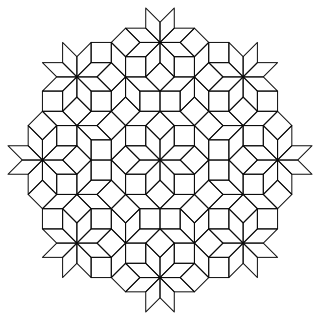
The octagonal quasicrystal: squares and 45-degree rhombs, never repeating.
Parameters
| Name | Type | Default |
|---|---|---|
size |
float |
16.0 |
radius |
float |
150.0 |
offsets |
tuple[float, ...] |
(0.5, 0.5, 0.5, 0.5) |
center |
Point |
(0.0, 0.0) |
tiling.cairo
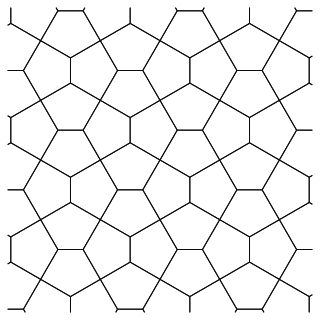
The Cairo tiling: pentagons in fours, spinning like a pinwheel.
from geomotif import save_svg
from geomotif.core import registry

# This motif's example takes values that are themselves objects, so it
# reads better through the registry than as a constructor call.
motif = registry.create("tiling.cairo", **registry.describe("tiling.cairo").example)
save_svg(motif.build(), "tiling.cairo.svg", width=320, height=320)
Parameters
| Name | Type | Default |
|---|---|---|
size |
float |
34.0 |
region |
Bounds |
required |
clip |
bool |
True |
tiling.herringbone
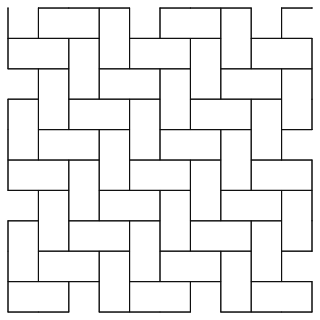
Rectangles laid in chevrons, each one's end against the next one's side.
from geomotif import save_svg
from geomotif.core import registry

# This motif's example takes values that are themselves objects, so it
# reads better through the registry than as a constructor call.
motif = registry.create("tiling.herringbone", **registry.describe("tiling.herringbone").example)
save_svg(motif.build(), "tiling.herringbone.svg", width=320, height=320)
Parameters
| Name | Type | Default |
|---|---|---|
length |
float |
60.0 |
width |
float |
30.0 |
region |
Bounds |
required |
clip |
bool |
True |
tiling.hexagonal
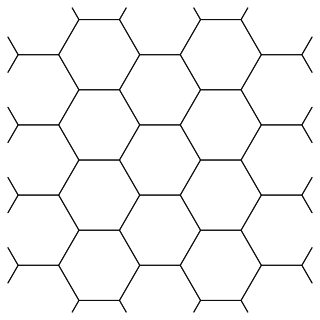
The honeycomb: regular hexagons, three to a corner.
from geomotif import save_svg
from geomotif.core import registry

# This motif's example takes values that are themselves objects, so it
# reads better through the registry than as a constructor call.
motif = registry.create("tiling.hexagonal", **registry.describe("tiling.hexagonal").example)
save_svg(motif.build(), "tiling.hexagonal.svg", width=320, height=320)
Parameters
| Name | Type | Default |
|---|---|---|
size |
float |
40.0 |
region |
Bounds |
required |
clip |
bool |
True |
tiling.penrose-p2
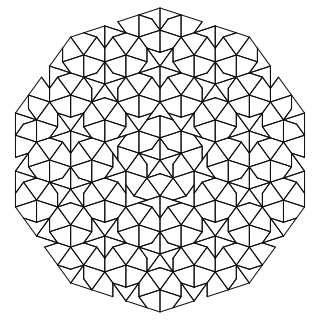
Penrose's kite and dart, the tiling that cannot repeat.
Parameters
| Name | Type | Default |
|---|---|---|
depth |
int |
5 |
radius |
float |
160.0 |
center |
Point |
(0.0, 0.0) |
tiling.penrose-p3
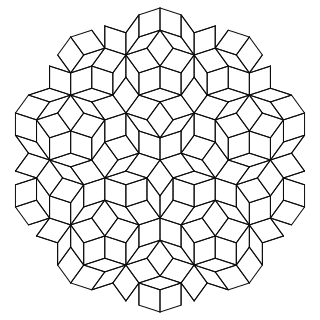
Penrose's rhombs: one thin, one thick, and no repeating pattern ever.
Parameters
| Name | Type | Default |
|---|---|---|
depth |
int |
5 |
radius |
float |
160.0 |
center |
Point |
(0.0, 0.0) |
tiling.rhombille
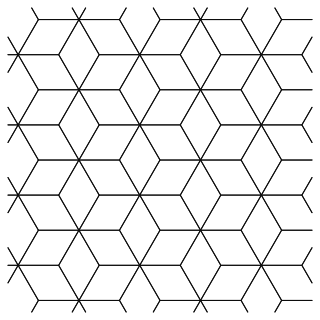
Tumbling blocks: each hexagon split into three rhombi.
from geomotif import save_svg
from geomotif.core import registry

# This motif's example takes values that are themselves objects, so it
# reads better through the registry than as a constructor call.
motif = registry.create("tiling.rhombille", **registry.describe("tiling.rhombille").example)
save_svg(motif.build(), "tiling.rhombille.svg", width=320, height=320)
Parameters
| Name | Type | Default |
|---|---|---|
size |
float |
40.0 |
region |
Bounds |
required |
clip |
bool |
True |
tiling.snub-square
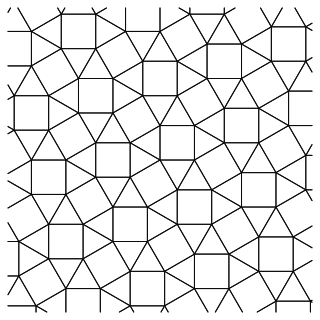
Squares and triangles, two of each at every corner -- the 3.3.4.3.4.
from geomotif import save_svg
from geomotif.core import registry

# This motif's example takes values that are themselves objects, so it
# reads better through the registry than as a constructor call.
motif = registry.create("tiling.snub-square", **registry.describe("tiling.snub-square").example)
save_svg(motif.build(), "tiling.snub-square.svg", width=320, height=320)
Parameters
| Name | Type | Default |
|---|---|---|
size |
float |
34.0 |
region |
Bounds |
required |
clip |
bool |
True |
tiling.square
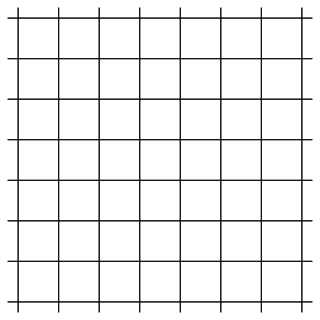
Squares edge to edge: the graph paper of tilings.
from geomotif import save_svg
from geomotif.core import registry

# This motif's example takes values that are themselves objects, so it
# reads better through the registry than as a constructor call.
motif = registry.create("tiling.square", **registry.describe("tiling.square").example)
save_svg(motif.build(), "tiling.square.svg", width=320, height=320)
Parameters
| Name | Type | Default |
|---|---|---|
size |
float |
40.0 |
region |
Bounds |
required |
clip |
bool |
True |
tiling.triangular
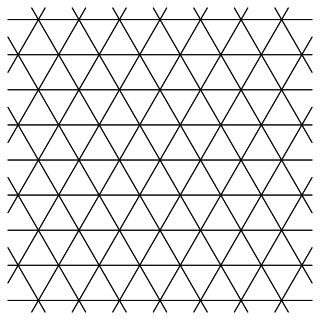
Equilateral triangles, alternately point up and point down.
from geomotif import save_svg
from geomotif.core import registry

# This motif's example takes values that are themselves objects, so it
# reads better through the registry than as a constructor call.
motif = registry.create("tiling.triangular", **registry.describe("tiling.triangular").example)
save_svg(motif.build(), "tiling.triangular.svg", width=320, height=320)
Parameters
| Name | Type | Default |
|---|---|---|
size |
float |
40.0 |
region |
Bounds |
required |
clip |
bool |
True |
tiling.truchet
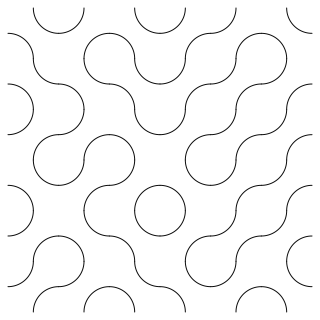
Quarter-circles in square cells, each turned at random.
Parameters
| Name | Type | Default |
|---|---|---|
size |
float |
30.0 |
cols |
int |
10 |
rows |
int |
10 |
seed |
int |
0 |
center |
Point |
(0.0, 0.0) |
tiling.truncated-square
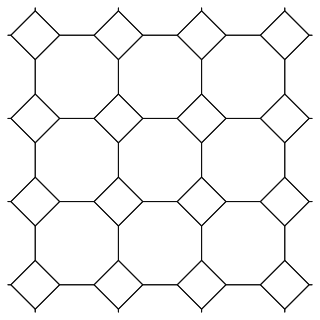
Octagons with small squares in the gaps -- the 4.8.8 tiling.
from geomotif import save_svg
from geomotif.core import registry

# This motif's example takes values that are themselves objects, so it
# reads better through the registry than as a constructor call.
motif = registry.create("tiling.truncated-square", **registry.describe("tiling.truncated-square").example)
save_svg(motif.build(), "tiling.truncated-square.svg", width=320, height=320)
Parameters
| Name | Type | Default |
|---|---|---|
size |
float |
34.0 |
region |
Bounds |
required |
clip |
bool |
True |